
- support@ifer.cz
- +420 605 264 637
Several simple steps how to install Microsoft® SQL Server® Express and set up for use with Field-Map.
Run SQLEXPRWT_x64_ENU and select New SQL Server installation.

Several other steps click only Next.
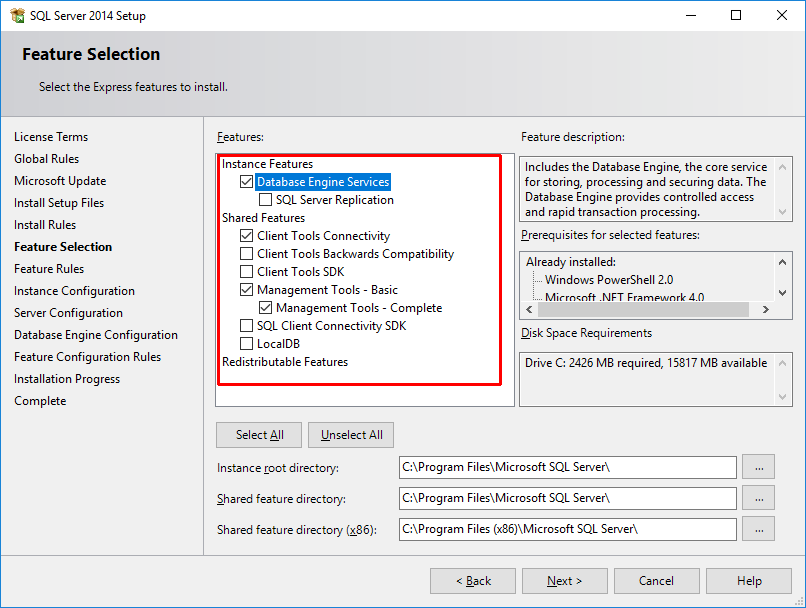
In the step Feature Selection select only:
- Database Engine Services (database server)
- Client connectivity tools (install database drivers)
- Management tools (install SQL Server Management studio, necessary for administration and execute SQL query)
Other items are not necessary to install, they are not used by Field-Map.
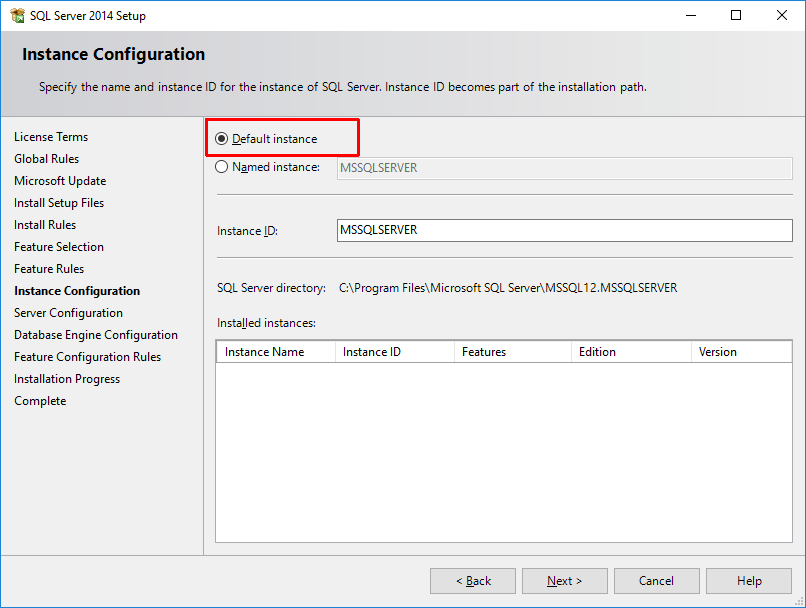
In the step Instance Configuration select Default instance.
In the step Server configuration it is possible to set if server should run automatically upon Windows startup or manually. In the form Collation it is possible to set data ordering (text data are stored in SQL in unicode, but it is necessary to specify how to order special characters according to local alphabet).

In the step Database Engine Configuration set if to use only Windows login or login using user name and password. The best is to set Mixed Mode, then works both. In the form Data Directories set, where to store database files. In the form User Instances and FILESTREAM there is no need to change anything.

Then continue installation. It can takes long time (even one hour, depens on PC).
After installation there are two tools to manage SQL Server:
- SQL Server Configuration Manager – allows to switch on/off database server and change network settings
- SQL Server Management Studio – manage databases
After installation SQL Server can be accessed only on local PC. To set network access go to Configuration manager in the form SQL Server network configuration – right mouse click on TCP/IP and select Enabled:

Set and manage users in Management studio in the form Security/Logins. Right mouse click on the form Logins allows to create new user:

To create new user fill login name and password (or select Windows authentication, but this works only if users are on the same domain as the server). If selected Enforce password policy, server will force to set strong password and change it time to time. After filling in data in the form General it is better to click OK to create user and set the user rights in the next step.

To change user rights it is similar to adding new user – right mouse click on Security/Logins/[user name] and select Properties:

Setting of user rights is very complex, for using with Field-Map there are two options:
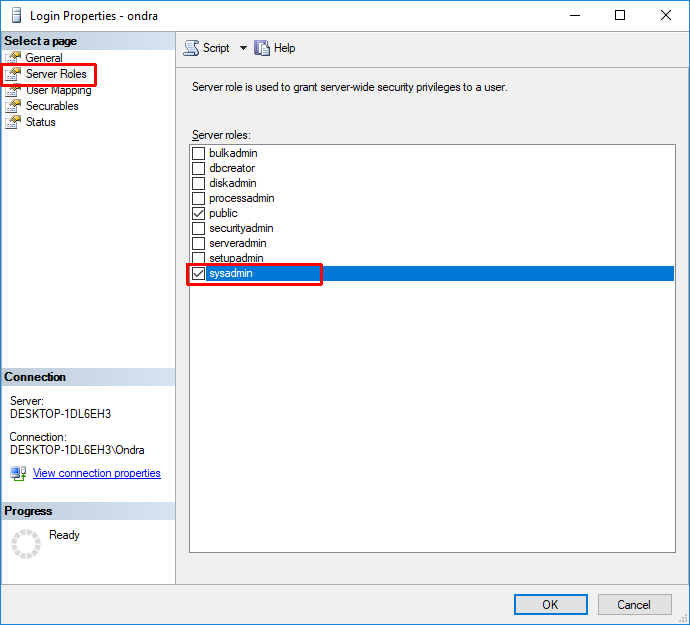
- Give user admin rights, then he can access all databases on the server. In the form Server roles select sysadmin and click OK:
- The second possibility is to grant a user rights just to create and access only his own databases. Set the rights in Securables – select Connect SQL (is selected by default), Create any database and View server state (without this function synchronization in Field-Map fails, because it is not possible to find out user’s ID address stored in synchro log). Then click OK.
